雑談
ライブドアブログ内の#雑談タグが付いた新着記事や人気の記事をご紹介。

- このタグで
記事を書く
-

- 俺の彼女は俺や俺の家族や友人には良くしてくれるけれど、ツイッターの裏垢で彼女の地元の友人の悪口を書いていることが発覚した。
- 男性様|気団・生活2chまとめブログ
- 450: 2019/10/03(木) 16:57:06.60 ID:2gwgLZgJ0 来年結婚予定の彼女の言動で引いた出来事がある 俺の彼女は俺や俺の家族や友人には良くしてくれるんだけど、ツイッターの裏垢で彼女の地元の友人の悪口を書いていることが発覚した しかも本人に敢えて見えるような形で 完全に嘘だろという事や、その人の旦那さんの事まで悪く書いてたりした 当然、その人や彼女は気づいてないけど他の友人からは縁を切られたり距離を置かれたりされてるよう
- 投稿日時:2026/02/21 08:48
-

-

-
-
-

-
-

- 【恋愛】ランチ楽しかったからもう一度行きたいとラインが来て、次の日お店候補を送って誘ったら…
- 男性様|気団・生活2chまとめブログ
- 947: 2021/06/23(水) 09:50:37.80 ID:w6MhcaVs0 【33 男 サラリーマン】 【34 女 事務系OL】 【一回ランチした程度】 【出会い系で1週間ほどやり取り】 【いません。向こうもいないと思う。】 【向こうが何を考えている分からない】 ランチ後、楽しかったしまた行きたいとラインが来たので次の日お店候補を送って誘ったら、2日後に「直近と7月は予定を入れてしまったので予定がわかったら連絡すると返信
- 投稿日時:2026/02/21 07:19
-
-

- 結婚後に知り合い親しくなったAが離婚した。だけど、Aが言っていたこととは全然違う話をAの元夫から聞いて驚いた。
- 女性様|鬼女・生活2chまとめブログ
- スレ立てるまでもないが沢山言いたいこと op1981: 20/08/16(日)18:39:49 ID:JeKなんかもう、人が信じられなくなりそうな出来事があった。元々の出来事はかなり遡って3年ぐらい前の事なんだけど、結婚後に知り合ってすごく仲良くしていたAさんって人がいてその人は子梨だけどいまだに恋人同士の頃と変わらず夫婦仲が良いと言っていた。旦那さんとも会った事があるが、本当に仲良さげだった。それがある日突然離婚。旦那さんが先輩に連れられて行った競艇にハマって借金しまくってたらしい。夫婦の貯金にも手を付けてて、離婚時には財産分与するようなお金もなく慰謝料請求したくても自己破産しちゃって無い袖は振れない。唯一の救いは仕事をしていたことだけど、当時でも40代半ばだったし色々不安で一杯のようだった。色々考えたいこともあるから、暫くそっとしておいてほしいって言われて私もどう接していいか分からなくなってたから、COじゃないけどAさんから連絡があるまでこちらからの連絡は控えていた。
- 投稿日時:2026/02/21 06:29
-
-

-
- 職場の新人Aさん(30代女性)が試用期間終了後、妊娠4ヶ月であることを告白。妊娠していれば採用されないと思ったからだそう。
- 鬼女の刃
- 投稿日時:2026/02/21 05:31
-

-
- 今日も「俺と一緒にいる時携帯いじらないで」と言われ『分かった。じゃあどう過ごすといい?』と聞くとまた「開き直るな!俺を責めるな!」と逆ギレされました…
- 鬼女の刃
- もの凄いスピードでカップルの質問・相談に答えるスレ574360: 2022/03/28(月) 22:45:55.13 ID:/YwQPkiV0同棲中の彼氏とマンネリ化もあり喧嘩が多いです。今日も「俺と一緒にいる時携帯いじらないで」と言われ『分かった。じゃあどう過ごすといい?』と聞くとまた「開き直るな!俺を責めるな!」と逆ギレされました…携帯に関しては仕事の連絡で緊急性があったのもあります。一緒に過ごす時間も会話なし、テレビも私はバラエティ苦手(彼はだいすき)、相手はアニメやYouTuberを携帯で見ているようですが私の苦手なジャンルなので一緒には見れません。
- 投稿日時:2026/02/21 05:16
-
- 能動的から受動的にプログラムが変化
- プログラミング指南 - Code Knowledge
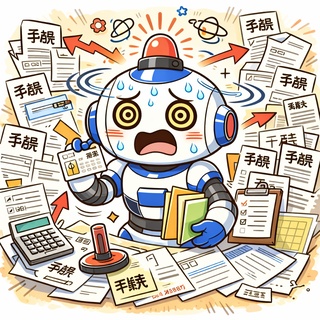
- Programming style: active to passiveZ80が主流だった頃のプログラムは、すべて自分から確認しに行くものでした。キーは押されているか。キャラは弾に当たっていないか。すべてを能動的に調べて処理していたのです。基本的にはシングルタスクなので、その確認中は他のことができません。この考え方は OS でも同様で、MS-DOS の時代までは、ほぼほぼこのような能動的なプログラミングスタイルが続いたのです。Back when the Z80 was mainstream, programs had to check everything on their own. Was a key pressed? Was the character hit by a bullet? Every condition had to be polled and handled explicitly. Since systems were essentially single-tasking, nothing else could run during those checks. The same mindset applied to operating systems, and this proactive style persisted through the MS-DOS era.そこで次世代の OS として登場したのが Windows です。…あ、いや、今は apple は置いときましょう。話がややこしくなるので(汗)。MS-DOS から Windows に変わったことで、劇的に変化したのが受動的なプログラミングスタイルです。正確にはイベントドリブンと言います。キーが押されたら、そのイベントに応じた関数が呼び出されます。Then Windows arrived as the next-generation OS. (Let’s set Apple aside for now to avoid complicating the discussion.) The transition from MS-DOS to Windows marked a fundamental shift to reactive—more precisely, event-driven—programming. When a key is pressed, the corresponding handler is invoked.…えっ?? PC-6001mkII もキーが押されたらサブ CPUから割り込みが飛んでくるって?はい、そうですね、イベントドリブンです。ただ、この場合はごく限られたイベントのみでした。Windowsでは、主要なイベントのほとんどが割り込みのように飛んできます。キーが押されたよーってのはもちろん、画面サイズが変わったよとか、ウィンドウが出来たよーとか、これらが WMメッセージとして細かく定義されて飛んでくるのです。“Wait—didn’t the PC-6001mkII also generate interrupts from the sub-CPU when a key was pressed?” Yes, it did. That was event-driven as well, but the scope was extremely limited. In Windows, by contrast, nearly all major events arrive as if they were interrupts: not only “a key was pressed,” but also “the window was resized” or “a window was created.” These are precisely defined and delivered as WM_ messages.その後、ゲーム開発は Unity や Godot といったミドルウェアへとシフトしました。XeGrader PlusはGodotで開発されています。これらはゲーム内のイベントでも、事細かに通知が飛んできます。Godot ではこれらはシグナルという呼び方になっています。シグナルが発生することを発火したとも言うようです。これで、プレイヤーが敵に当たったとか、罠を踏んだとかの判断が不要になり、シグナルが飛んできたらその対応をするだけになりました。Game development later shifted toward middleware such as Unity and Godot. XeGrader plus is developed with Godot. These engines emit detailed notifications even for in-game events. In Godot, these notifications are called signals, and a signal’s occurrence is described as “firing.” Instead of constantly checking whether the player collided with an enemy or stepped on a trap, you simply respond to the signal. + Trap(Node2D) + Area2D + CollisionShape2D(RectangleShape2D) + Sprite2D / AnimatedSprite2D親となる Node2D を用意し、その子として当たり判定用の Area2D を配置します。さらにその下に CollisionShape2D を置き、内部に RectangleShape2D を設定してサイズを指定します。表示用には Sprite2D や AnimatedSprite2D を配置し、画像やアニメーションを設定します。そして最後に、何がどれに反応するかを Collision Layer と Mask で細かく指定します。A typical setup involves creating a parent Node2D, attaching an Area2D for collision detection, and placing a CollisionShape2D beneath it with a configured RectangleShape2D. Visual elements are handled separately through a Sprite2D or AnimatedSprite2D. Finally, collision behavior is defined explicitly using Collision Layer and Mask.つまり、すべてが手続きとして明示的に設定される必要があります。しかも、どれか一つでも設定を誤るとシグナルは発火しません。ログも出ないため、原因の特定も容易ではありません。ね、一見とても便利に見えるけど大変だよね?大まかにはデフォルトのままで良いのですが、少し特殊なことをしようと思ったら、その手続きがこんな感じで結構大変なのです。しかもこの例はまだ標準的な設定なんだよ。便利な機能の恩恵を受けるための手続きが複雑。なんかどこかの国の行政手続きに似てると思いませんか(苦笑Everything must be configured deliberately. If even one parameter is incorrect, the signal will not fire. Because no logs are produced, isolating the cause is difficult. The defaults work for straightforward cases, but the moment you attempt something slightly specialized, the required configuration quickly becomes intricate. Even this example represents a standard configuration. The mechanisms that provide convenience demand procedural precision—almost reminiscent of navigating a bureaucratic system.この記事が気に入って頂けたなら是非Wishlist登録をお願いいたします。If you enjoyed this article, please add it to your wishlist!
- 投稿日時:2026/02/21 05:00
-

- 職場に合わない上司がいて、毎日気が重くて吐きそうになる…。
- 男性様|気団・生活2chまとめブログ
- スレを立てるまでに至らない愚痴・悩み・相談Part387965: 2019/03/16(土) 23:17:02.26 ID:XG/VzKiR職場で死ぬほど相性悪い上司と仕事組まされてて毎日吐きそう周り曰くその人はいい人らしいけれど仕事に関して雑すぎて、今の仕事の仕組み上全てのトラブルが俺の責任になる意図的か無意識かわからないけれど俺への指示が全て口頭で行われていて損害が起きた場合も、上司の指示による承認を証明する書類がない為俺に責任が全てふっかかるようになってる頭が狂いそうになるこういった場合の法的な対策ってどうしたらいいんだろう?既に上には散々仕事の記録を残して欲しいって訴えてるけれど、上がその上司の肩を持つからいつも話を逸らされるかはぐらかされて上司の承認のある記録は残されない
- 投稿日時:2026/02/21 04:49
-
- 【悩み】普段会えない彼女より、毎日見かける相手のほうが気になってきて、仕事に集中できない。
- 鬼女の刃
- 必ず誰かが相談に乗ってくれる恋愛相談室Part616134: 2019/05/24(金) 19:30:08.70 ID:UOKrHr3i0相談者の年齢・性別・職業】22 男 サラリーマン【相手の年齢・性別・職業】25 女 サラリーマン【2人の関係】部署違いの先輩(自分)後輩(相手)【2人に恋人・好きな人の有無】自分 倦怠期の彼女あり相手 3ヶ月前に別れたらしい【悩み(具体的に)】普段会えない彼女より毎日見かける相手の方が気になってきて仕事に手がつかない。
- 投稿日時:2026/02/21 04:31
-

- 33歳で妻と子どもがいるけど、36歳の職場の既婚者で子持ちの女性に気持ちを伝えてしまった。
- 男性様|気団・生活2chまとめブログ
- ★☆★職場の恋 236 上司 部下 同僚★☆★★★214: 2020/11/25(水) 06:41:17.87 0ねぇちょっと聞いて33妻子有りやけど36職場既子有女に気持ち伝えてしもたー「好意を向けられる事については嬉しい」「私もあなたも家庭を壊す気はないんだったらこのままでいいんじゃない?」「男性としては何も思わない。人としては面白い人だなって(どう思ってるか聞いた)」「お話ぐらいだったらいいですよ(相談がてらたまに話したいってお願いした)」元々たまーにしか話さないぐらいの関係性なんだけど。なんでいいんだろう。断れないだけかなぁ?今後の仕事での関係を心配してるのかな。どう思いますか。
- 投稿日時:2026/02/21 04:29
-